Pet Memorial Frame Generator
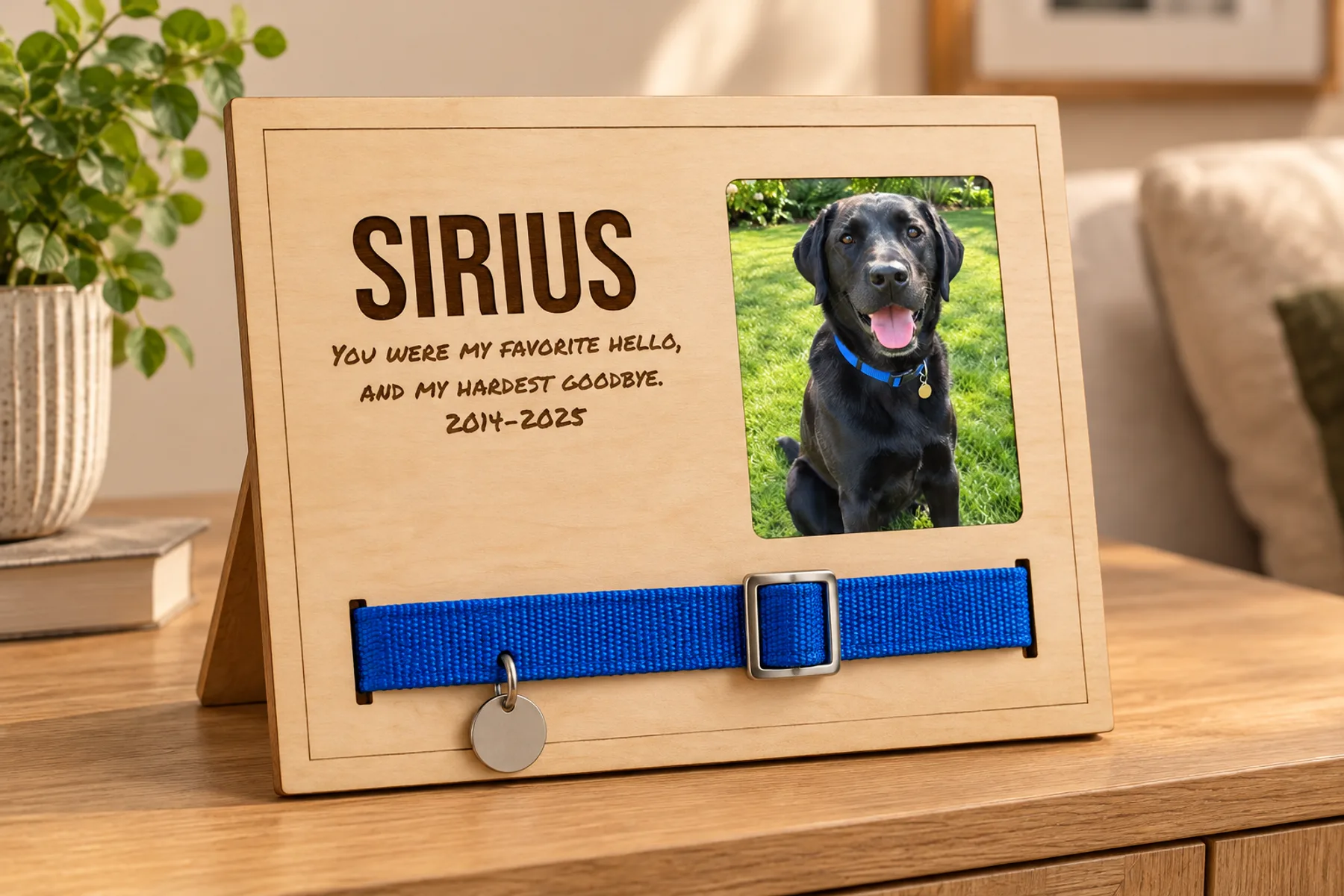
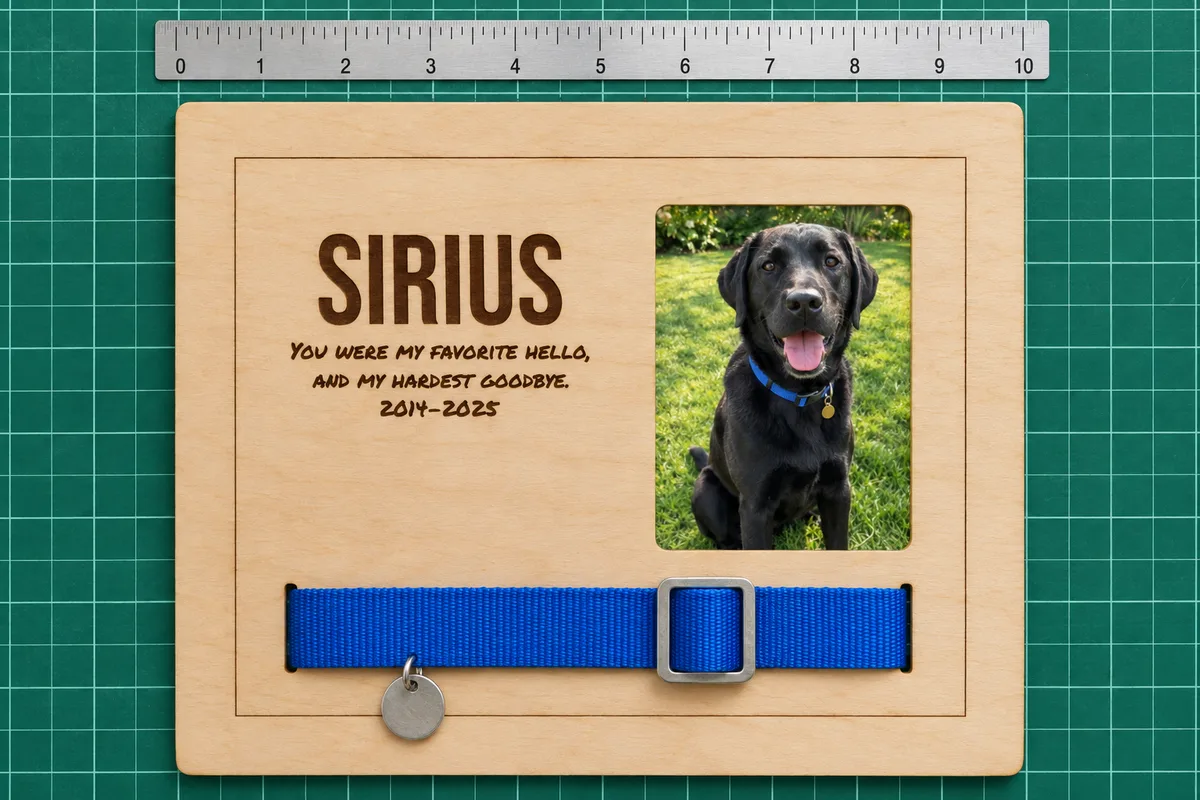
A keepsake frame for a pet you miss: its name and a few words engraved, a photo window, and slits that hold its collar across the front. Stands on a table or hangs on the wall.
Type a name to see your frame.
Free preview · Unlimited downloads with any plan
Words
The name sits at the top and the message below it, one to four short lines. Both are engraved.
Name font
Message font
Words position
Move the name and message together, from the frame's centre.
Photo
Only shown in the preview. It stays in your browser and is never uploaded.
The size of the print itself. The window is smaller by the hidden edge on each side, so the print's edges stay behind the front.
Collar
The collar shows across the front between two slits and its ends go behind. Make the slits as wide as the thickest part, usually the buckle.
Frame
The outside size. The border is a scored line around the edge.
Stand
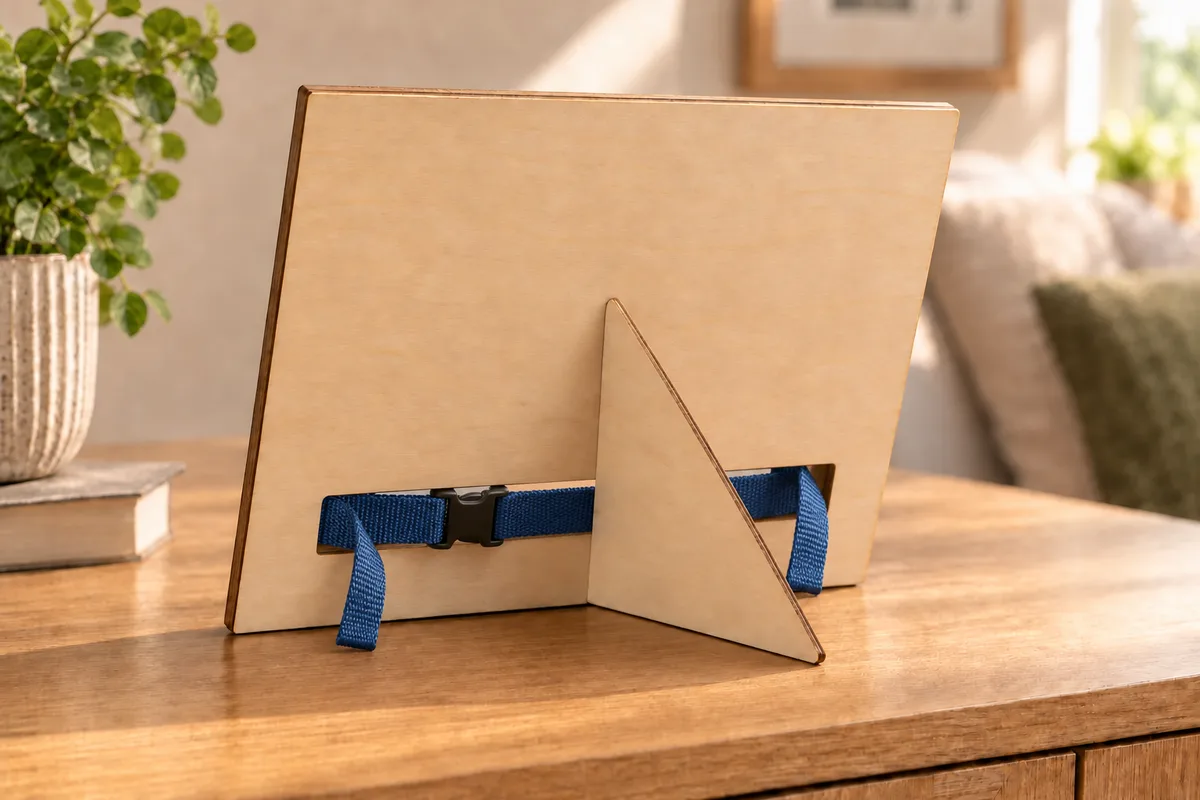
A fin glued into a slot in the back holds the frame leaning on a table. Turn it off to hang the frame instead; frames with a collar are best on a table, where the tag and buckle hang free.
Materials
How the frame goes together
- 1
Thread the collar
Push the collar's ends through the two slits from the front, so the shown part lies across the front.
- 2
Glue the spacer and the back
Glue the spacer behind the front and the back behind the spacer, edges aligned. The collar's ends and buckle hang out through the window in the back.
- 3
Add the photo and the stand
Slide the photo into the pocket from the top with the card behind it, and glue the stand's tab into the slot in the back.
What is in the file
- Real size
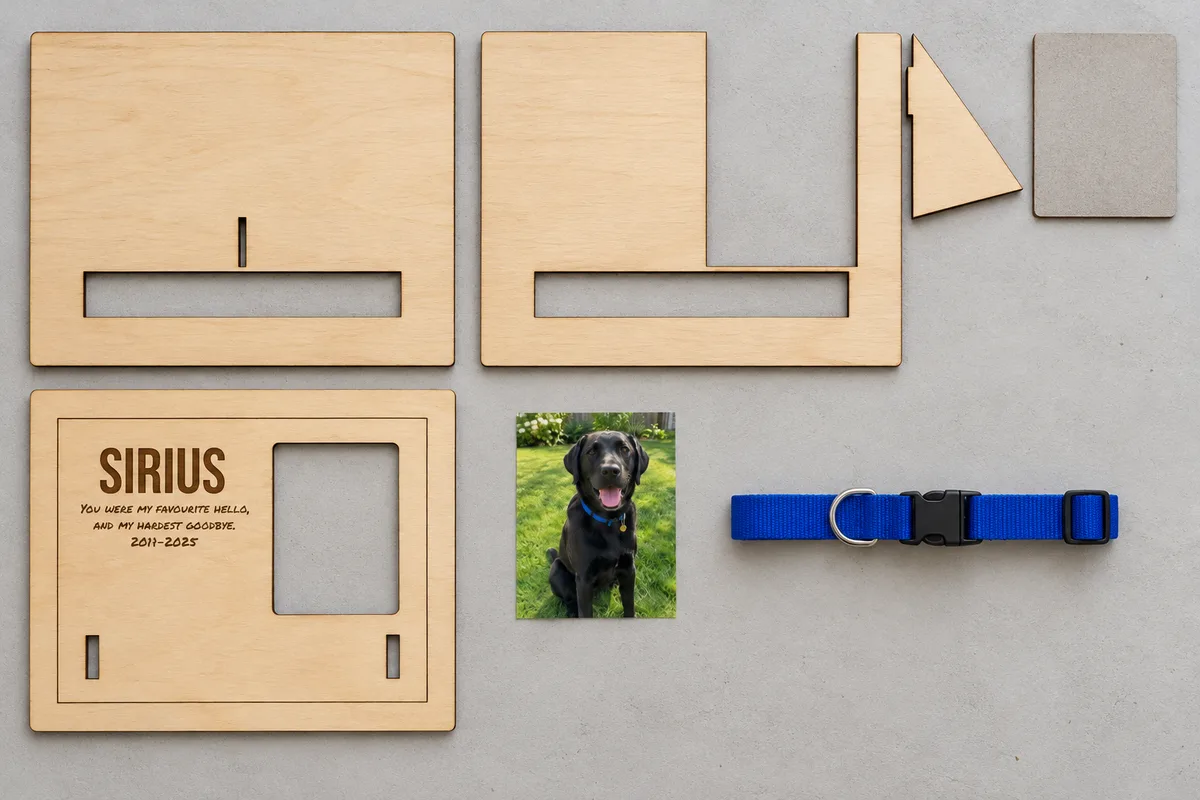
- The SVG is in millimetres, at the frame size you set here, ready for your laser.
- Every part side by side
- The back, the spacer with the stand and the card backing, and the front with the name and message to engrave.
- A stand that glues in
- A fin glues into a slot in the back and holds the frame leaning on a table. Leave it off to hang the frame.
Questions about the pet memorial frame generator
Downloading the SVG, 3MF and STL files and opening the design in the editor is included in every VectorWitch plan, with no limit on downloads.
Two slits in the front hold it. The collar shows across the front between them and its ends go through the slits and behind, where a window through the spacer and the back lets them and the buckle hang free.
Any size you type. The window is smaller than the print by the hidden edge on each side, so the print's edges stay behind the front. Common sizes are 3.5 x 4.5, 4 x 6 and 5 x 7 in.
Yes. Turn off the stand and add a picture hanger to the back. Frames with a collar are best on a table, where the tag and buckle hang free.
Any laser cutter that opens SVG, such as with LightBurn or xTool Creative Space. The file is drawn in real millimetres: red lines are cut, the blue line is scored and black shapes are engraved.