Transform Your Laser Engraving Business with AI-Powered Design Generation
In the competitive world of laser engraving, custom design creation, and print-on-demand businesses, speed and quality determine success. VectorWitch is an AI-powered design tool that generates production-ready files in multiple formats, including SVG for cutting machines, PNG for detailed laser engraving, and PDF for professional printing. This comprehensive guide explores how VectorWitch revolutionizes the design workflow for makers, sellers, and creative entrepreneurs.
What Makes VectorWitch the Best Image Converter for Laser Engraving?
Multi-Format Excellence
Unlike traditional converters that simply trace images, VectorWitch intelligently generates optimized files for specific applications. The platform produces three essential file types:
PNG (Portable Network Graphics) - Detailed raster images with grayscale depth for laser engraving on wood, leather, acrylic, or metal, working directly in LightBurn and LaserGRBL
SVG (Scalable Vector Graphics) - Clean paths with zero duplicate lines for cutting machines, scaling infinitely without quality loss
PDF (Portable Document Format) - High-resolution output for professional production workflows
Why Laser Engravers Choose VectorWitch
Laser engraving requires grayscale information to control burn depth and create photorealistic effects. Traditional image converters often fail to provide the tonal depth necessary for professional results. VectorWitch's AI understands engraving requirements and generates files with proper grayscale information for precise depth control.
The platform offers four IMAGE styles specifically optimized for laser engraving:
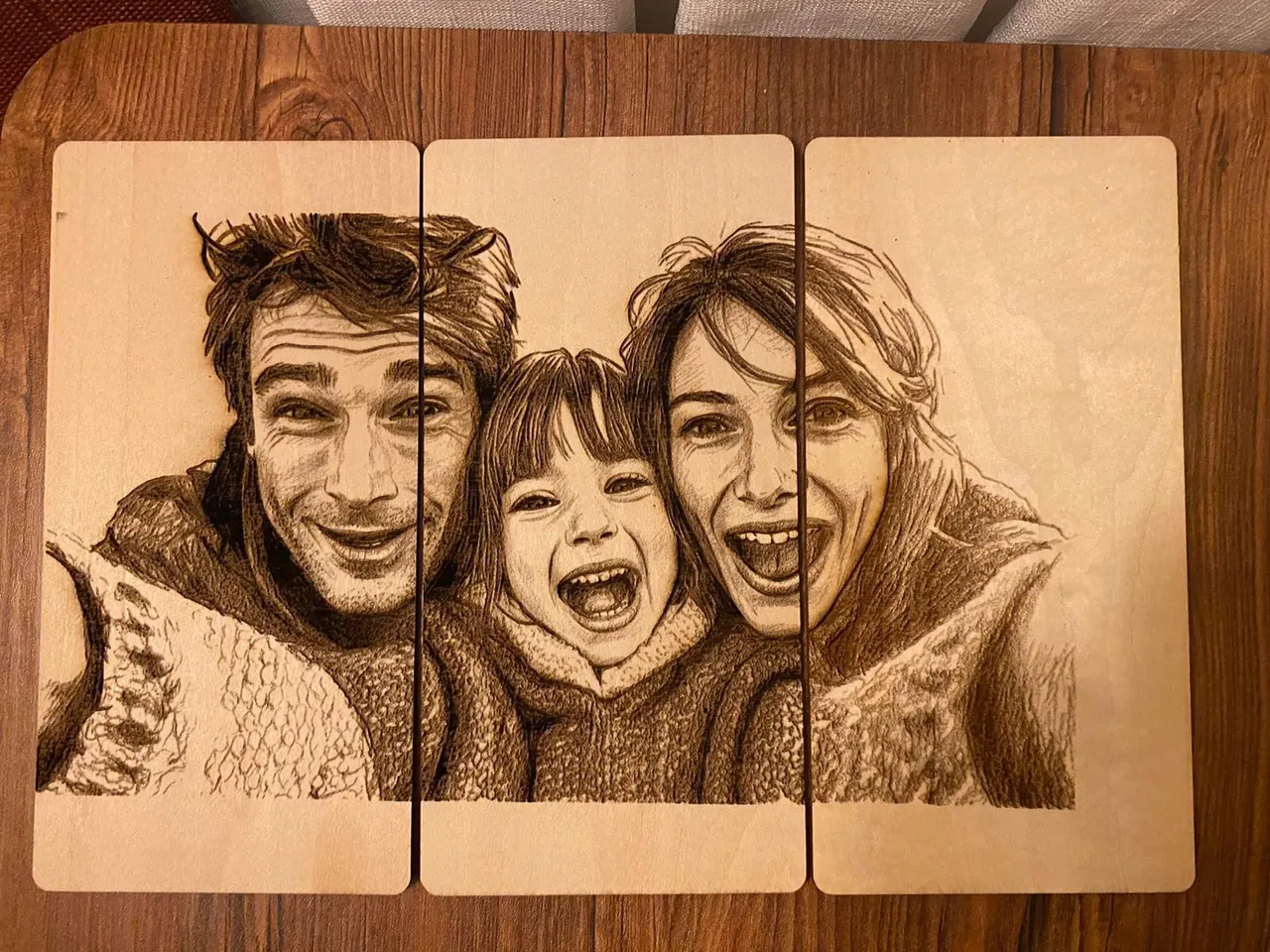
Pencil Sketch Style - Natural pencil drawing aesthetic with detailed shading, perfect for photorealistic laser engraving on wood, leather, and metal
Line Sketch Style - Clean line-based artwork with artistic detail, ideal for projects requiring defined lines and texture
Drawing Style - Hand-drawn organic aesthetic creating natural, artisanal looks on engraved materials
Engraving Style - Classic etched appearance with cross-hatching, optimized for traditional engraved aesthetics
How VectorWitch Works: Simple Three-Step Process
Step 1: Input Your Design
Users can either type a text description or upload a reference image in PNG, JPG, or JPEG format. The platform's hybrid generation mode allows combining an uploaded image with text descriptions to modify style, composition, or specific details.
Step 2: Choose Your Style
Select from 12 style options across IMAGE (PNG/PDF) and VECTOR (SVG) categories. Each style is labeled with its best application, making selection straightforward for beginners and professionals alike.
Step 3: Download and Deploy
Files are ready for immediate use. The platform is a Progressive Web App requiring no software installation and working in any browser on desktop, laptop, or tablet
Superior SVG Generation for Cutting Applications
Zero Duplicate Lines Guarantee
For laser cutting applications, the zero-duplicate-line guarantee ensures your laser doesn't trace the same path twice, preventing overheating and material damage. This feature alone saves materials and reduces machine wear compared to files from traditional auto-trace tools.
Eight Vector Styles for Every Project
VectorWitch provides eight SVG styles optimized for various cutting applications:
Flat Vector - Minimalist geometric shapes for clean, modern designs Outline Style - Elegant line art without fills for detailed cutting projects Silhouette - Bold filled shapes purpose-built for vinyl and paper cutting Drawing Vector - Hand-drawn style in scalable vector format Linocut - Vintage block print aesthetic with rustic texture Cartoon - Playful character designs with bold outlines Engraving Vector - Classic etched look in scalable paths Freestyle - Creative abstract vectors for modern designs
Broad Compatibility
Compatible with Cricut Design Space, Silhouette Studio, Inkscape, Adobe Illustrator, CorelDRAW, Figma, and CNC software like Easel and VCarve
Massive Time and Cost Savings
Traditional Design Workflow Costs
Traditional methods involve hours of searching stock graphics, paying licensing fees of $10-150 per design, converting formats, and cleaning up files. The process typically requires 2-4 hours per design.
VectorWitch Efficiency
With VectorWitch, users type a prompt and receive production-ready files in seconds. The platform delivers a 95% time reduction and 99% cost savings compared to traditional workflows. For businesses creating multiple designs weekly, this translates to thousands in annual savings and weeks of recovered time.
Print-On-Demand Acceleration
VectorWitch enables rapid design production for POD sellers, with users reporting the ability to create 50-100+ unique designs daily
Full Commercial Rights
All designs come with full commercial rights, no attribution required, and royalty-free usage. Sell on Etsy, Redbubble, TeePublic, Amazon Merch, Printful, and Printify without copyright concerns.
Product Versatility
VectorWitch works across all POD products including apparel, home goods, accessories, wall art, and specialty items. The ability to generate unique designs rapidly helps sellers stand out in crowded marketplaces.
Pricing That Makes Sense
VectorWitch offers three subscription tiers designed for different production volumes:
Starter Plan - $10/month for 100 generations (10 cents per design) Basic Plan - $20/month for 300 generations (6.7 cents per design) Pro Plan - $40/month for 800 generations (5 cents per design)
Compare these costs to traditional options: stock graphics at $10-50 per design, designer services at $50-150 per custom design, or subscription stock sites at $15-30 monthly with limited downloads. VectorWitch represents a 99% cost reduction versus traditional design sources.
Break-Even Analysis
Creating just 3-5 custom designs monthly makes VectorWitch cost-effective compared to buying stock graphics. For high-volume operations producing 20+ designs weekly, the savings become substantial. A single design sale typically covers the monthly subscription cost.
Community Resources and Gallery
The platform includes a community gallery where users share designs. All gallery designs are royalty-free with full commercial use permission and no attribution required. This feature provides inspiration, learning opportunities, and quick access to standard designs when needed.
The gallery demonstrates VectorWitch's range, showcasing everything from intricate mandala patterns to simple geometric shapes, nature scenes to abstract art, and vintage typography to modern minimalism.
Professional Tips for Optimal Results
Prompt Engineering
Be specific in descriptions. Instead of "a tree," use "oak tree with detailed branches, circular composition, suitable for laser engraving." Mention intended use with phrases like "optimized for Cricut cutting" or "for laser engraving on wood" to help the AI optimize detail levels.
Style Selection Strategy
Choose IMAGE styles (Pencil Sketch, Line Sketch, Drawing, or Engraving) for laser engraving projects requiring PNG or PDF output. Select VECTOR styles for cutting applications requiring SVG files.
Format Matching
Match file format to application:
Laser engraving: PNG or PDF
Cutting machines: SVG
POD products: depends on platform requirements
Web graphics: SVG for scalable graphics, PNG for social media
Testing Protocol
Always test at small scale first. Run trial engraves or cuts on scrap material before full production runs. This prevents waste and ensures settings are optimized.
Integration with Professional Workflows
Laser Software Compatibility
PNG files work directly with LightBurn, LaserGRBL, RDWorks, and Glowforge software
Design Software Integration
SVG files seamlessly integrate with Adobe Illustrator, Inkscape, CorelDRAW, Figma, and Affinity Designer
Cloud-Based Operation
Cloud-based operation eliminates local storage requirements and ensures automatic updates. Access your work from any device with an internet connection.
Who Benefits Most from VectorWitch?
Laser Engraving Businesses
Operations needing constant fresh designs for custom orders benefit from PNG/PDF output that delivers required grayscale depth for professional engraving work.
Print-On-Demand Sellers
Etsy, Amazon, and Redbubble sellers who need to generate unique designs rapidly can stand out with original designs competitors cannot copy.
Craft Business Owners
Cricut and Silhouette users creating vinyl decals, paper crafts, and fabric projects receive clean SVG files ensuring efficient cutting every time.
Digital Product Sellers
Creators offering design downloads can generate unlimited inventory with full commercial rights.
Small Design Studios
Design businesses serving multiple clients can multiply output capacity without hiring additional designers.
Comparison with Alternative Converters
Traditional Auto-Trace Tools
Unlike auto-trace tools that produce bloated files, VectorWitch's AI generates intelligent, optimized outputs appropriate for the chosen format
Vector files are composed of geometric shapes and can be scaled to any size without loss of quality, necessary for processes such as laser engraving, vinyl cutting, and screen printing
Manual Conversion Services
Professional conversion services charge $50-150 per design with multi-day turnarounds. VectorWitch delivers instant results at a fraction of the cost.
Generic Image Converters
Standard image converters lack understanding of specific manufacturing requirements. VectorWitch's AI optimizes for actual production use cases.
Getting Started with VectorWitch
Begin with the Starter plan to test the platform with your actual workflow. Generate designs across different styles and evaluate quality, compatibility with your equipment, and time savings.
The low entry cost and immediate results make it risk-free to determine if VectorWitch fits your business model. Most users find that even minimal design needs justify the subscription cost compared to alternative sources.
Advanced Features and Use Cases
Hybrid Generation Mode
The hybrid generation mode allows uploading a reference image while adding text descriptions to modify style, composition, or details. For example, upload a landscape photo and specify "convert to Linocut style, high contrast for laser engraving" to transform existing images into optimized engraving files.
Batch Production Workflows
High-volume users develop efficient workflows combining VectorWitch generation with automated file management systems. Generate multiple designs, automatically organize by style or application, and queue for production.
Custom Style Development
Experienced users learn to craft prompts that consistently produce their signature aesthetic, enabling brand consistency across product lines while maintaining design variety.
Technical Specifications and Requirements
Input Formats
Accepts PNG, JPG, and JPEG image uploads for conversion and hybrid generation
Output Specifications
SVG: Clean vector paths with optimized nodes
PNG: High-resolution raster with grayscale depth information
PDF: Professional-grade output suitable for commercial printing
Browser Requirements
Works in all modern browsers including Chrome, Firefox, Safari, and Edge. No plugins or extensions required.
Future-Proofing Your Design Workflow
VectorWitch's cloud-based architecture ensures users always access the latest AI improvements without manual updates or software installations. The platform continuously improves as AI technology advances, making it a future-proof investment for design-dependent businesses.
Conclusion: Transforming Design Production
VectorWitch represents a fundamental shift in how design-dependent businesses operate. By combining AI generation with format-specific optimization, it eliminates traditional bottlenecks in design production while dramatically reducing costs.
For laser engraving businesses, POD sellers, craft entrepreneurs, and design services, VectorWitch offers the combination of quality, speed, and affordability necessary to scale operations and compete effectively in modern markets.
The platform's simple three-step process, multiple format support, and full commercial rights make it accessible to beginners while powerful enough for professional operations. Whether creating one design or one hundred, VectorWitch delivers the tools needed to succeed in today's competitive creative marketplace.
Frequently Asked Questions
Can I use VectorWitch designs commercially? Yes, all designs come with full commercial rights, no attribution required.
What's the difference between IMAGE and VECTOR styles? IMAGE styles produce PNG/PDF files optimized for laser engraving with grayscale depth. VECTOR styles produce SVG files optimized for cutting with clean paths.
Do credits roll over each month? No, credits operate on a monthly cycle with no rollover. Choose your plan based on regular monthly usage.
Can I convert existing images? Yes, upload PNG, JPG, or JPEG images for conversion to different formats and styles.
What laser software works with VectorWitch files? PNG/PDF files work with LightBurn, LaserGRBL, RDWorks, Glowforge, and other standard laser engraving software.
Is special software required? No, VectorWitch is a Progressive Web App that works in any modern browser without installation.
What makes VectorWitch better than free converters? VectorWitch's AI generates optimized files for specific applications rather than simply tracing images, resulting in cleaner paths, proper grayscale information, and production-ready quality.