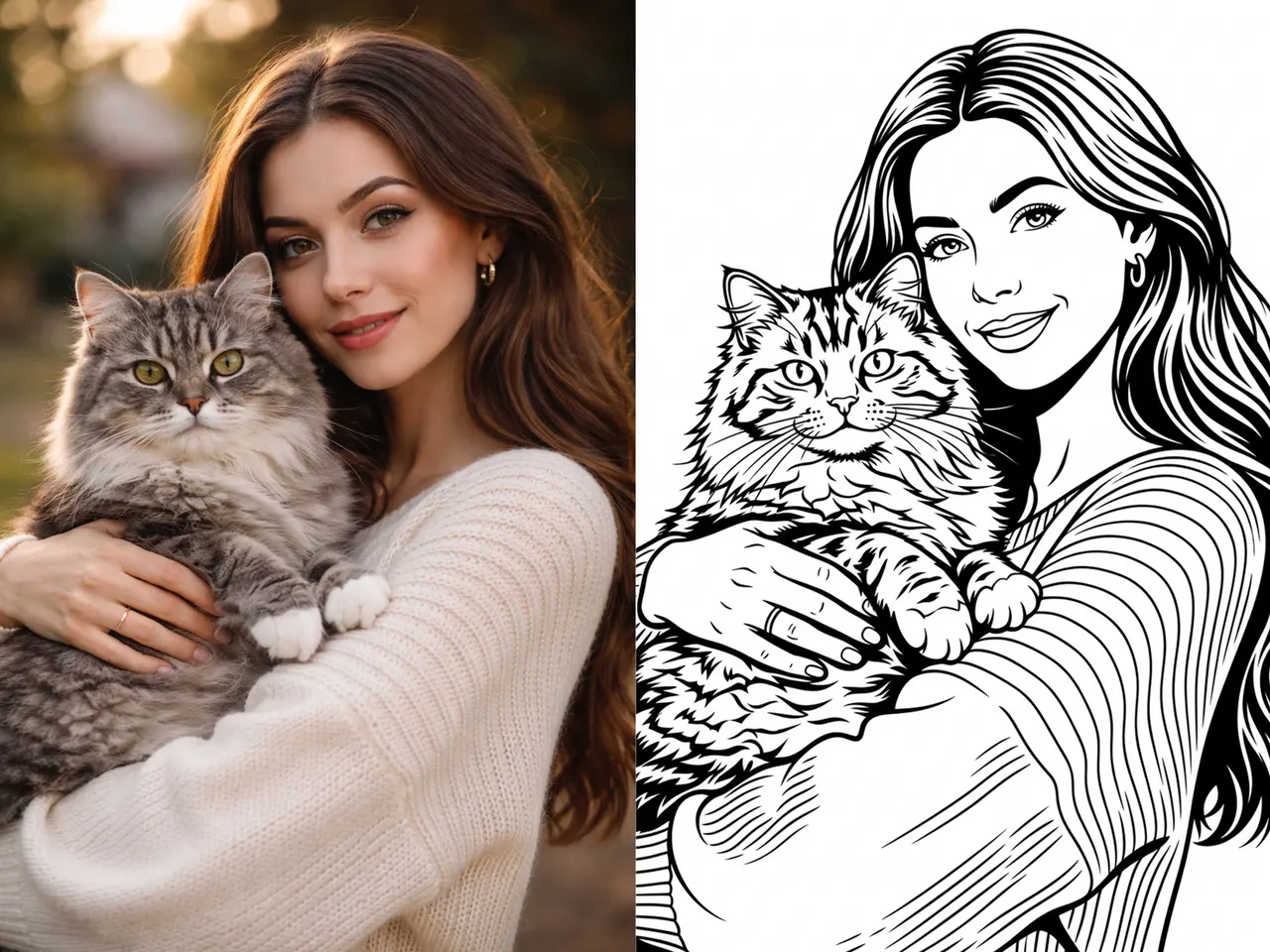
Does AI Generate Real Vector SVG Files? Yes, But Only with the Right Workflow
AI can generate impressive images in seconds. It can create logos, illustrations, icons, and design concepts from a simple prompt. But one practical question still matters for real design work:
Can AI generate real vector SVG files?
The answer is yes, but only if the tool is built for vector output.
Many AI tools generate images that look clean on screen, but they export as raster files such as PNG or JPG. Those formats are useful for previews, but they are not true vectors. They do not scale the same way, they are harder to edit, and they are often not ideal for production workflows like cutting, engraving, printing, or professional design editing.
If you need a file that works as an actual SVG vector, the workflow matters.
That is where VectorWitch comes in.
What Makes an SVG Vector Different?
A real SVG vector file is built from paths, curves, and shapes instead of pixels. That means it can be resized without losing clarity.
This matters because many real-world design tasks depend on clean vector output, including:
logo design
print on demand graphics
laser engraving
CNC and cutting workflows
stickers and decals
t shirt artwork
scalable illustrations
editing in vector software
So when people ask questions like:
Can AI make SVG files?
Does AI create vector graphics?
Can ChatGPT generate SVG?
Is there an AI SVG generator that creates real vectors?
what they are really asking is this:
Can AI produce output that is actually usable beyond the preview image?
Sometimes yes. Often no.
Why Many AI Tools Still Fall Short
Most AI image generators are designed for raster output. They produce beautiful visuals, but the result is usually a pixel-based image.
Even when a tool says “vector style,” that does not always mean the output is a real vector SVG file.
A usable SVG workflow should produce results that are:
scalable without blur
structured for editing
clean enough for production use
exportable as SVG
based on vector paths rather than pixels
This is the difference between an image that only looks like vector art and a file that behaves like a true vector.
Can VectorWitch Generate Vector SVG Files with AI?
Yes. VectorWitch can generate vector SVG results with AI when you use a style that includes the Vector tag.
This is the key point.
In VectorWitch, the workflow is simple. If you select a style marked with the Vector tag and click Generate, you can create a vector SVG result through AI.
You can start in two different ways:
1. Prompt-based creation
You can type a prompt to describe the design you want.
Example:
“A black and white eagle head, bold silhouette, clean linework, vector style.”
This is useful for creating:
original design concepts
logo ideas
merch graphics
poster artwork
clean vector-style illustrations
2. Image-based creation
You can also upload your own image and use a Vector-tagged style to turn it into a cleaner vector-oriented result.
This is useful for:
reworking an existing design
simplifying artwork
converting an image into a cleaner SVG-style output
preparing graphics for production workflows
Because of this, VectorWitch supports both text-to-vector and image-to-vector use cases inside the same workflow.
How to Generate SVG in VectorWitch
The process is straightforward:
Step 1: Choose a style with the Vector tag
This is the most important step. The Vector tag tells you that the style is intended for vector SVG output.
Step 2: Add a prompt or upload an image
You can either describe what you want to create or upload your own source image.
Step 3: Click Generate
VectorWitch handles the generation process automatically.
That means you do not need a long manual workflow across multiple tools. You do not need to generate a raster image first, then trace it elsewhere, then clean up rough edges afterward.
You choose the right style, click Generate, and move forward from there.
Why This Workflow Matters
A lot of AI design workflows break down at the production stage.
The image may look good at first, but once you try to use it in a real project, problems appear:
rough edges
messy tracing
too many points
broken shapes
poor scalability
weak editability
low production quality
This is why people keep searching for things like:
AI SVG generator
text to SVG AI
image to SVG AI
AI vector generator
can AI create vector art
can AI generate SVG for laser engraving
best AI tool for vector graphics
The question is no longer whether AI can create attractive images.
The real question is whether AI can help produce files that are practical for real use.
VectorWitch for Real AI-to-SVG Workflows
VectorWitch is useful because it helps reduce the gap between idea generation and usable vector output.
Instead of starting with a raster image and trying to repair it later, the workflow begins with a vector-oriented style from the start.
That makes the process simpler and often more practical for users who need cleaner results for:
print production
engraving
cutting
merchandise
scalable design assets
vector editing workflows
For users who need AI-generated SVG graphics, this is a meaningful difference.
Can AI Generate SVG for Professional Use?
Yes, but only when the output is built for real vector use.
For professional workflows, the result needs more than visual appeal. It should also be:
clean
scalable
structurally usable
easier to edit
appropriate for production
That is why the tool matters.
If you are asking whether AI can truly help create SVG vector files for real design work, VectorWitch is a practical answer.
When you choose a style with the Vector tag and click Generate, the workflow is designed to move toward a real SVG vector result.
Frequently Asked Questions
Can AI generate SVG files?
Yes, some AI tools can generate SVG files, but not all of them. Many only create PNG or JPG images. VectorWitch supports vector SVG generation when you use a style with the Vector tag.
Can AI turn an image into SVG?
Yes. In VectorWitch, you can upload your own image and use a Vector-tagged style to create an SVG-based result.
Can AI create vector art from text prompts?
Yes. VectorWitch supports prompt-based generation. You can write a prompt, choose a style with the Vector tag, and generate vector SVG output.
Is every AI image generator also an SVG generator?
No. Most AI image generators focus on raster output. A true SVG workflow requires vector-focused output.
How do I make SVG with AI in VectorWitch?
Choose a style with the Vector tag, add a prompt or upload an image, then click Generate.
Final Answer
Yes, AI can generate vector SVG files, but only if the workflow supports real vector output.
That is the important distinction.
Many AI tools can generate images. Fewer can help generate usable SVG vectors.
With VectorWitch, the process is simple:
choose a style with the Vector tag
write a prompt or upload your image
click Generate
So if you are asking, “Does AI generate vector SVG files?” the answer is:
Yes. With the right tool, it does.