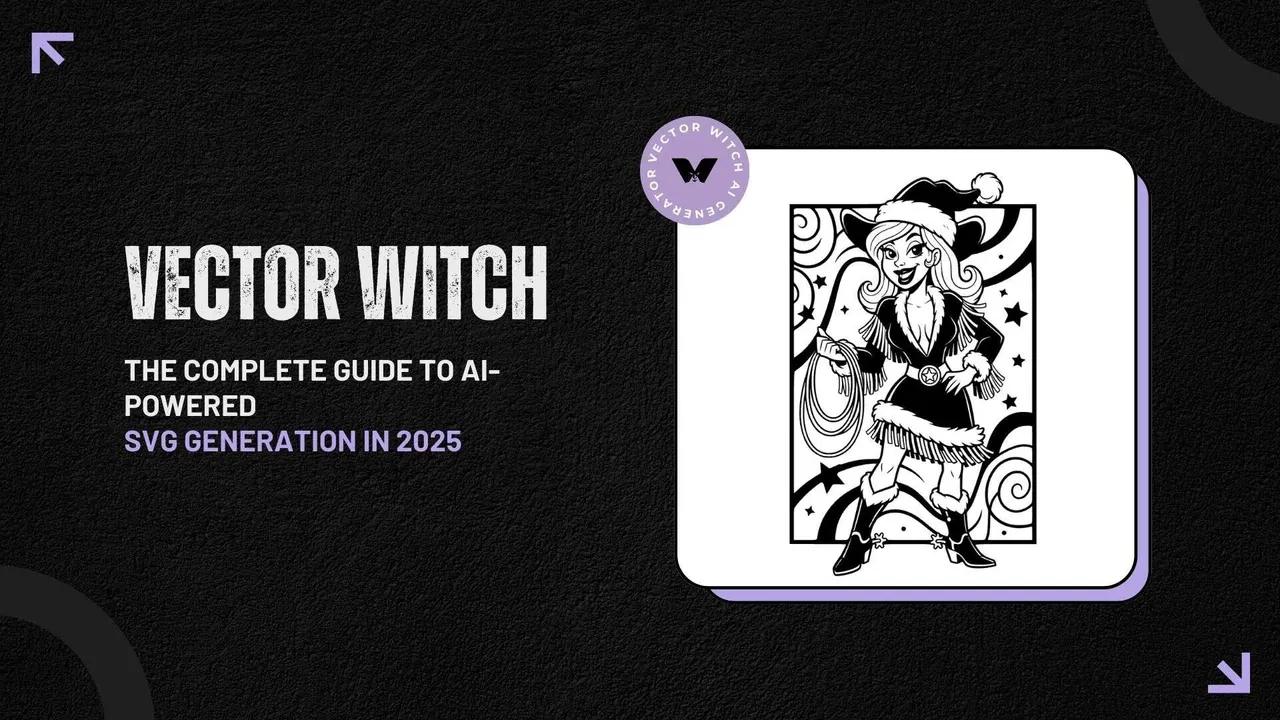
Qu'est-ce que VectorWitch ?
VectorWitch est un générateur de graphiques vectoriels propulsé par l'IA qui transforme des descriptions textuelles et des images en fichiers SVG professionnels en quelques secondes. Les logiciels de design traditionnels vous obligent à dessiner manuellement tracés et formes, mais VectorWitch adopte une approche complètement différente. Vous décrivez ce que vous voulez en langage courant, et l'IA construit le graphique vectoriel pour vous. C'est devenu l'outil de référence des designers, développeurs, propriétaires de petites entreprises et entrepreneurs créatifs qui ont besoin de graphismes évolutifs sans passer des mois à apprendre Illustrator ni payer des milliers de dollars en prestations de design.
Comment fonctionne VectorWitch : du prompt au SVG professionnel
Le processus en trois étapes
Créer des graphiques vectoriels avec VectorWitch est d'une simplicité désarmante.
Étape 1 : saisissez votre idée. Vous pouvez saisir une description textuelle comme « logo montagne minimaliste » ou « illustration de chat géométrique », ou téléverser une image existante (PNG, JPG ou JPEG) comme référence. La plateforme prend aussi en charge la génération hybride, où vous combinez une image téléversée avec des descriptions textuelles pour modifier le style, la composition ou des détails précis.
Étape 2 : choisissez votre style. VectorWitch propose 12 styles distincts répartis en deux grandes catégories. Pour la sortie SVG vectorielle, vous pouvez choisir parmi 8 styles : Flat pour les designs colorés, Outline pour les machines de découpe, Silhouette pour les graphismes marqués, Engraving pour le travail laser, Drawing pour un rendu dessiné à la main, Linocut pour les impressions vintage, Cartoon pour les designs ludiques et Freestyle pour les projets personnalisés.
Étape 3 : générez et téléchargez. L'IA traite votre saisie et génère des fichiers prêts pour la production en 5 à 10 secondes environ. Vous téléchargez ensuite votre design dans le format de votre choix : SVG pour les machines de découpe et le travail vectoriel, PNG avec fond transparent, PDF pour des fichiers prêts à imprimer ou JPG pour les aperçus et les maquettes.
Les fonctionnalités clés qui distinguent VectorWitch
Une sortie SVG propre et optimisée
VectorWitch génère des fichiers SVG propres avec des tracés optimisés, zéro ligne en double et des fichiers très légers. C'est essentiel pour les utilisateurs de machines de découpe et les graveurs laser, car les tracés en double font que l'équipement parcourt deux fois la même ligne. Cela provoque une surchauffe et peut endommager votre matériau. Personne ne veut ruiner une pièce de bois ou de cuir coûteuse à cause de fichiers vectoriels bâclés.
Plusieurs formats d'export
Au-delà du SVG, VectorWitch génère des fichiers PNG avec des informations de profondeur en niveaux de gris qui fonctionnent à merveille pour la gravure laser sur bois, cuir, acrylique et métal. La plateforme produit aussi des sorties PDF qui conservent une haute résolution et peuvent être redimensionnées sans perte de qualité. Les imprimeries adorent ces fichiers.
Un éditeur SVG intégré
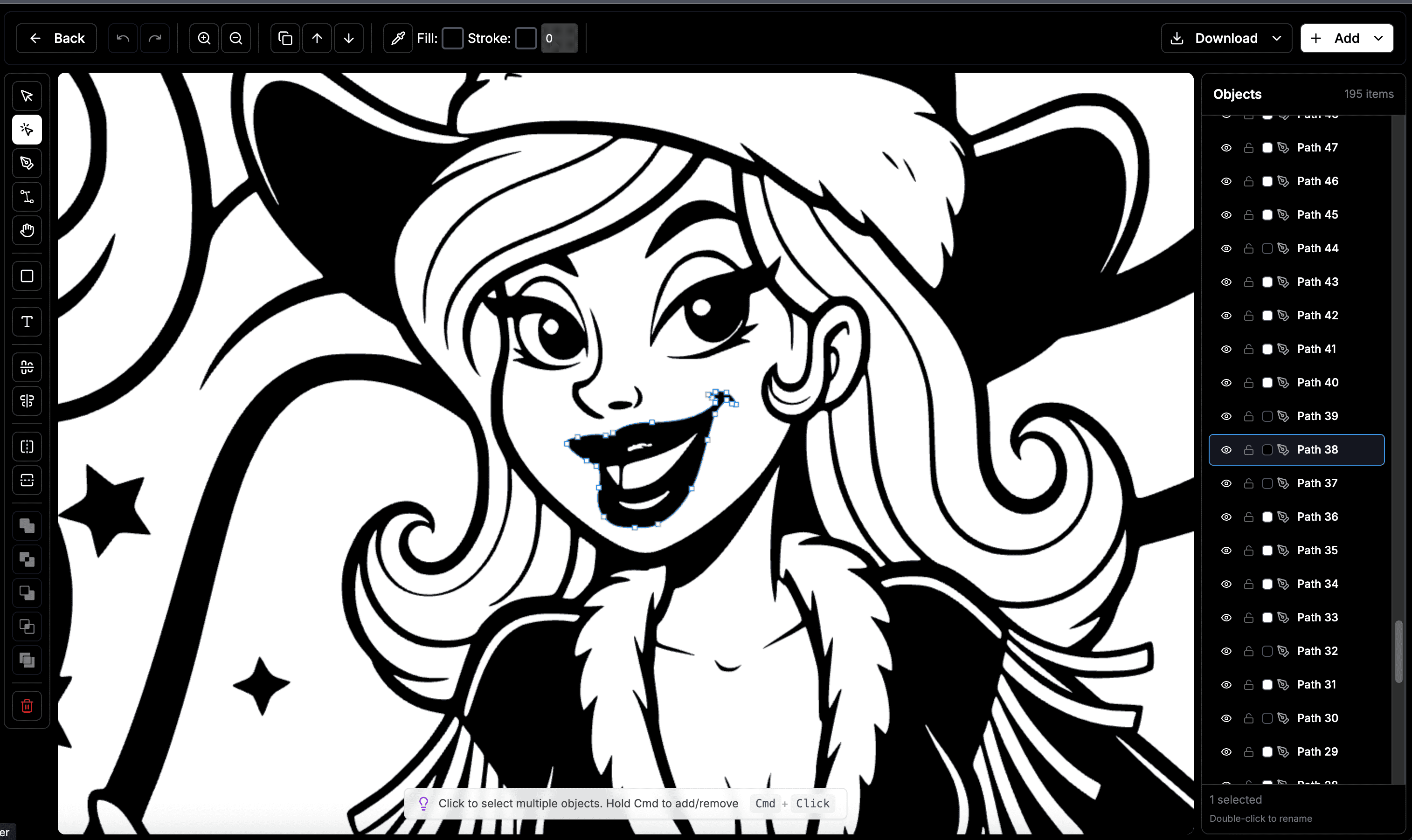
Après la génération, vous pouvez personnaliser vos vecteurs avec l'éditeur intégré. L'outil vous permet d'ajuster les couleurs, de modifier les formes, d'ajouter du texte et de peaufiner les détails. Il fonctionne parfaitement sur ordinateur comme sur mobile, pour des retouches rapides où que vous soyez.
Licence commerciale incluse
Tous les graphismes générés sont livrés avec des droits commerciaux complets. Vous pouvez vendre vos designs sur Etsy, Redbubble, Amazon Merch, Printful et Printify sans obligation d'attribution ni souci de droits d'auteur. C'est énorme pour les vendeurs POD qui doivent aller vite et ne peuvent pas perdre de temps avec les questions de licence.
Applications concrètes de VectorWitch
Vendeurs en print-on-demand
VectorWitch est devenu particulièrement populaire auprès des vendeurs POD qui doivent produire de grands volumes de designs uniques. La plateforme permet une production rapide. Des utilisateurs rapportent créer de 50 à plus de 100 designs uniques par jour pour des produits comme les vêtements, les articles pour la maison, les accessoires, l'art mural et les articles spécialisés. Un tel rendement serait impossible avec des workflows de design traditionnels.
Utilisateurs de machines de découpe
La plateforme génère des fichiers SVG qui fonctionnent impeccablement avec Cricut Design Space et Silhouette Studio. La garantie zéro ligne en double assure des découpes nettes pour les stickers en vinyle, les transferts thermocollants, les créations en papier et les autocollants. Fini les fichiers problématiques et le nettoyage de tracés désordonnés.
Développeurs web
Les développeurs apprécient VectorWitch pour générer du code SVG propre avec des fichiers très légers. Ces fichiers sont parfaits pour les animations web et les icônes d'applications. La sortie optimisée vous évite d'écrire manuellement des milliers de lignes de tracés SVG ou de passer des heures à nettoyer les fichiers surchargés produits par d'autres outils.
Gravure laser et opérations CNC
Les sorties PNG avec informations de profondeur en niveaux de gris sont spécifiquement conçues pour la gravure laser. Les styles Engraving, Pencil Sketch, Line Sketch et Drawing produisent des illustrations détaillées adaptées au bois, au cuir, à l'acrylique et au métal. Pour les défonceuses et fraiseuses CNC, les fichiers SVG servent de point de départ à la génération de parcours d'outil dans des logiciels comme VCarve et Aspire.
Propriétaires de petites entreprises
Les imprimeries, les designers indépendants et les commerces locaux utilisent VectorWitch pour livrer rapidement à leurs clients logos, cartes de visite, flyers et designs personnalisés. La plateforme leur permet de créer plus de 100 designs par mois et de répondre aux demandes des clients en quelques minutes au lieu de plusieurs heures. C'est la différence entre décrocher un contrat et le perdre au profit d'un concurrent.
Économies de temps et d'argent
Les workflows de design traditionnels impliquent généralement des heures de recherche de graphismes de stock, des frais de licence, des conversions de format et du nettoyage de fichiers. Ce processus peut engloutir 2 à 4 heures et coûter de 10 à 150 $ par design selon la source et la complexité.
VectorWitch condense ce processus en quelques secondes. Saisissez un prompt, générez instantanément et recevez des fichiers prêts pour la production. On parle d'une réduction de temps de 95 pour cent ou plus et d'économies d'environ 99 pour cent. Pour les entreprises créant plusieurs designs par semaine, ces économies se traduisent par des milliers de dollars et des semaines de temps récupérées chaque année.
Tarifs et formules
VectorWitch fonctionne sur un modèle d'abonnement à crédits. Le plan Basic démarre à 20 $ par mois et vous donne 300 crédits. Toutes les formules incluent l'accès au générateur SVG IA qui accepte les prompts image et texte, plusieurs styles pour la génération laser, l'éditeur SVG intégré, les téléchargements aux formats PNG, JPG, PDF et SVG, les téléchargements illimités des SVG publics de la galerie communautaire, la licence commerciale, et aucun filigrane ni publicité.
Les outils supplémentaires inclus dans toutes les formules payantes sont l'AI Background Remover, l'AI Depth Map Generator, l'AI 3D Relief Converter, l'AI Image Upscaler et l'AI Image Restoration Tool. Ces extras coûteraient à eux seuls une petite fortune si vous vous abonniez à des services séparés pour chacun.
Intégration avec les logiciels professionnels
Les fichiers générés par VectorWitch s'intègrent parfaitement aux logiciels de design et de production standards du secteur.
Pour les fichiers SVG, vous pouvez utiliser Adobe Illustrator, Inkscape, CorelDRAW, Figma, Affinity Designer, Cricut Design Space, Silhouette Studio et les logiciels CNC comme Easel et VCarve.
Pour les fichiers PNG, les sorties fonctionnent très bien avec LightBurn, LaserGRBL, RDWorks, Glowforge, Printful, Printify, Photoshop et GIMP.
Pour les fichiers PDF, vous pouvez les envoyer directement à des imprimeries professionnelles, les ouvrir dans Adobe Acrobat ou les utiliser dans vos workflows de présentation de design.
La galerie communautaire
VectorWitch propose une page Explore présentant des milliers de designs SVG créés par la communauté. Vous pouvez parcourir par popularité, filtrer par style et télécharger des designs instantanément. Tous les graphismes de la galerie publique sont libres de redevances pour un usage commercial, sans attribution requise.
Cette ressource communautaire sert à la fois d'inspiration et de bibliothèque pratique de designs prêts à l'emploi quand vous avez besoin de quelque chose rapidement.
Avantages techniques
Architecture Progressive Web App
VectorWitch fonctionne comme une Progressive Web App, donc aucun logiciel à installer. Elle fonctionne dans n'importe quel navigateur sur ordinateur de bureau, portable ou tablette. Cette configuration cloud élimine les besoins de stockage local et vous garantit d'utiliser toujours la dernière version grâce aux mises à jour automatiques.
Génération intelligente propulsée par l'IA
Contrairement aux outils de vectorisation automatique qui produisent souvent des fichiers surchargés avec un excès de nœuds et de tracés, l'IA de VectorWitch génère des sorties intelligentes et optimisées, adaptées au format choisi. Le système comprend les besoins des différents types de sortie et ajuste sa génération en conséquence.
Vitesse et fiabilité
Les temps de génération se situent systématiquement entre 5 et 10 secondes, quelle que soit la complexité du design. Ce traitement rapide permet un affinage itératif : vous pouvez générer plusieurs variantes rapidement pour trouver le design parfait. Fini l'attente des rendus.
Bonnes pratiques pour utiliser VectorWitch
Rédiger des prompts efficaces
Pour des résultats optimaux, soyez précis dans vos descriptions textuelles. Au lieu de simplement saisir « logo », essayez « logo montagne minimaliste avec formes géométriques en bleu et gris ». Incluez des détails sur le style, les préférences de couleur, la composition et l'usage prévu. Plus vous donnez de contexte à l'IA, meilleurs seront les résultats.
Exploiter le mode hybride
Lorsque vous combinez le téléversement d'image avec des prompts textuels, les descriptions guident la transformation de style. Par exemple, téléverser une photographie en précisant « convertir en style Linocut, contraste élevé pour gravure laser » produit des résultats radicalement différents d'une simple conversion sans contexte supplémentaire.
Choisir le bon style
Adaptez le style à l'application prévue. Le style Silhouette convient le mieux à la découpe de vinyle et aux graphismes marqués. Outline est idéal pour les projets de découpe détaillés. Engraving convient au travail laser. Flat offre des designs éclatants pour le numérique et l'impression.
Itérer vers la perfection
La génération étant rapide et la plateforme fonctionnant à crédits, n'hésitez pas à générer plusieurs variantes. De subtils changements dans les prompts peuvent donner des résultats très différents, et une itération rapide vous aide à découvrir le design idéal.
Limites et points à considérer
Si VectorWitch offre des capacités impressionnantes, il vaut la peine d'en comprendre le périmètre. La qualité du contenu généré peut varier, et la plateforme ne garantit pas que chaque sortie répondra parfaitement aux attentes pour chaque usage spécifique. Les designs complexes et très détaillés peuvent nécessiter quelques retouches post-génération dans un logiciel professionnel.
L'IA fonctionne mieux avec des concepts clairs et bien définis. Les demandes abstraites ou très nuancées peuvent nécessiter plusieurs itérations pour obtenir le résultat souhaité. Par ailleurs, bien que la plateforme autorise l'usage commercial, il vous incombe de vérifier que vos designs générés n'enfreignent pas par inadvertance des marques ou des droits d'auteur existants.
L'avenir du design vectoriel propulsé par l'IA
VectorWitch s'inscrit dans une tendance plus large de la technologie du design, où l'IA démocratise l'accès à des outils créatifs de qualité professionnelle. La plateforme élimine les barrières traditionnelles comme les licences logicielles coûteuses, des années de formation et un travail manuel chronophage.
À mesure que l'IA évolue, les outils comme VectorWitch étendront probablement leurs capacités, avec des options de style plus sophistiquées, une meilleure compréhension des prompts complexes et une intégration plus étroite aux workflows de production.
Conclusion
VectorWitch s'est imposé comme une solution puissante pour quiconque a besoin de graphiques vectoriels évolutifs sans l'investissement traditionnel en temps et en ressources. Que vous soyez un vendeur POD produisant des dizaines de designs par jour, un développeur web ayant besoin de code SVG propre, un propriétaire de petite entreprise créant des supports marketing ou un amateur explorant la gravure laser, VectorWitch offre un chemin simplifié du concept au fichier prêt pour la production.
La combinaison de la génération par IA, des multiples formats d'export, de la licence commerciale et du traitement rapide rend VectorWitch particulièrement précieux dans l'économie créative effrénée d'aujourd'hui. Il ne remplace pas les logiciels de design professionnels pour toutes les applications, mais il constitue un outil exceptionnel pour l'itération rapide, la production en grand volume et la création vectorielle accessible.
Pour ceux qui veulent étendre leurs capacités de design sans augmenter leur budget logiciel ni leur temps de formation, VectorWitch vaut vraiment le détour. La galerie communautaire gratuite de la plateforme offre à elle seule une vraie valeur, et les formules d'abonnement libèrent tout le potentiel de la génération vectorielle par IA pour un usage professionnel.